
Direct messages: How they work
A direct message lets you email some members of your group instead of everyone in it. Use it to follow up with a few people, chase replies, or contact a committee without messaging the whole group.
Only Administrators can send direct messages. Members don't have this option.
This article covers:
- How direct messages differ from group messages
- How to send a direct message
- Where replies go
- Direct messages and the Message Archive
How direct messages differ from group messages
| Group message | Direct message | |
|---|---|---|
| Who receives it | Everyone in the group | Only the people you choose |
| Where replies go | As set in your reply settings | Directly to you |
| Saved in the Message Archive | Yes, if the archive is on | No |
| Who can send it | Depends on your sender settings | Administrators only |
How to send a direct message
- Log in and open the group whose members you want to message.
- Click New message. The To field starts with the whole group.
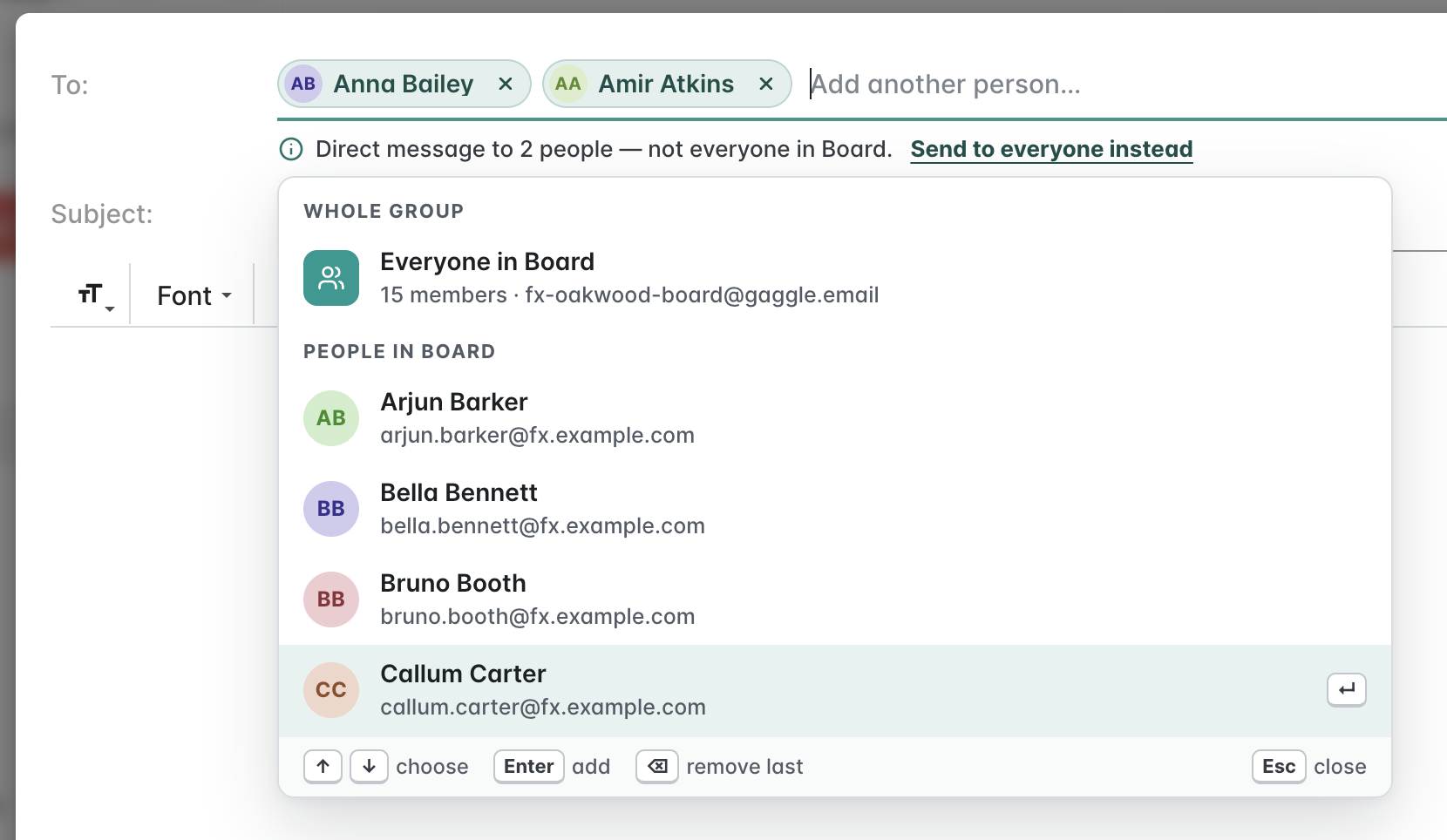
- Start typing a member's name or email address in the To field, then click them in the list (or press Enter). This replaces the group with that person and turns the message into a direct message.
-
Add anyone else you want to include the same way. A note under the To field confirms who it's going to, for example "Direct message to 2 people — not everyone in Board":
- Write your message and click Send.
Changed your mind? Click Send to everyone instead under the To field to put the whole group back.
You can also start from the Members page: tick the people you want to message, then click the mail icon.
Things to know:
- You can only pick people who are members of the group.
- A message goes either to the whole group or to selected members. You can't mix the two in one message.
Where replies go
Replies to a direct message come straight back to you. They don't go to the group, and nobody else in the group sees them. This applies whatever your group's reply settings are.
Direct messages and the Message Archive
Direct messages are not saved in the Message Archive, even if the archive is switched on. Other members and Administrators can't find them there, and they won't appear in message exports.
If you need everyone to see the message, or want it kept in the archive, send it to the whole group instead.